
Data ingestion and query
Set how documents are classified and which data features your organisation uses.
Under Data in the admin menu you find two settings pages: Ingestion and Query.
Who can use them: Owner and Admin.
Ingestion
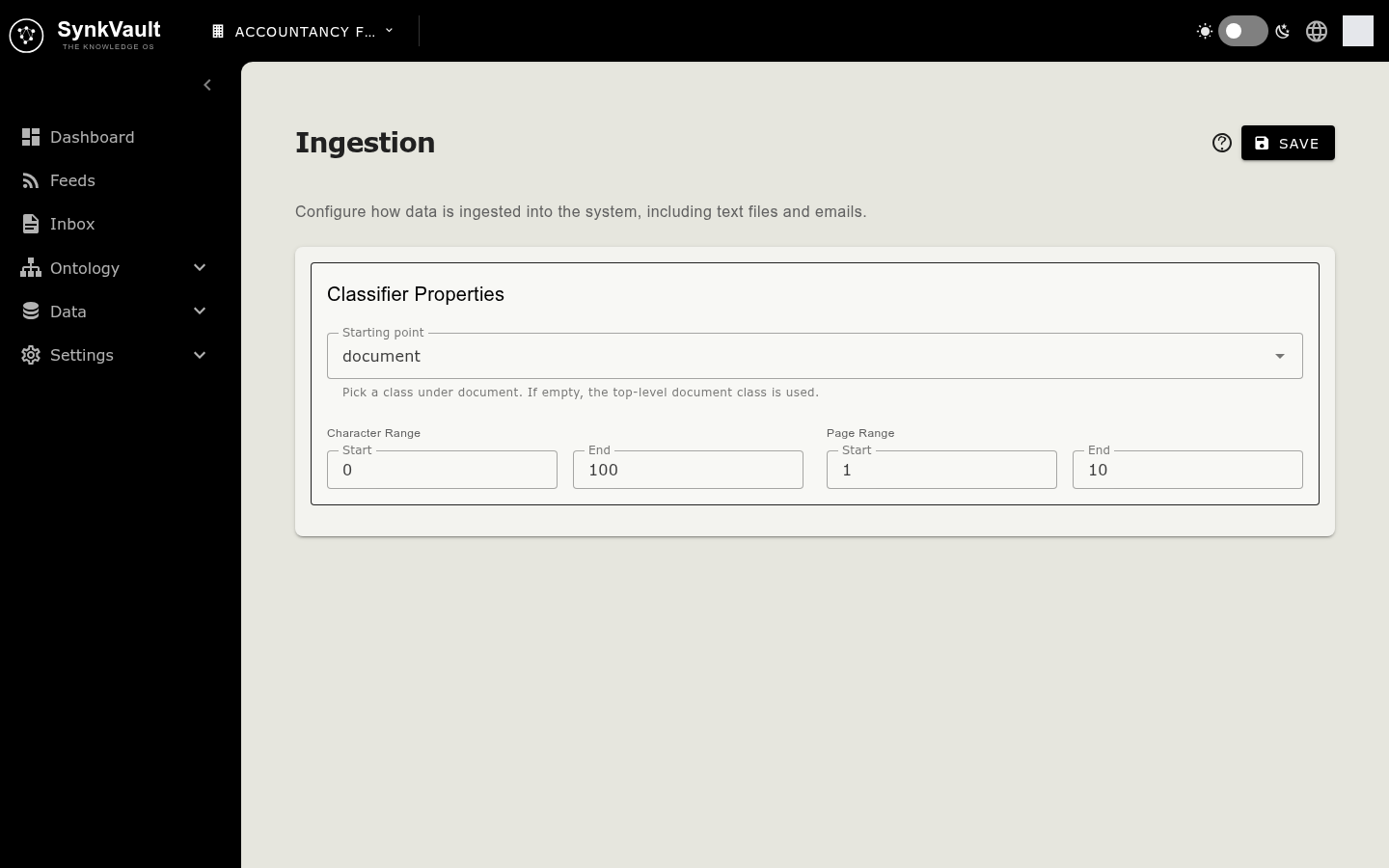
The Ingestion page controls how SynkVault classifies documents it processes.
- Choose Admin Portal in the avatar menu, then Data → Ingestion.
- If nothing is configured yet, read the Ingestion Configuration introduction and select Start Configuration.
- Under Classifier Properties, set:
- Starting point: pick a class under document. If you leave it empty, the top-level document class is used.
- Character Range: the Start and End of the character range used for classification.
- Page Range: the Start and End of the page range used for classification.
- Select Save.
If you see No top-level document node exists and no starting point is set. Ingestion will fail until a document node is added., add a document class in the ontology first.
Query
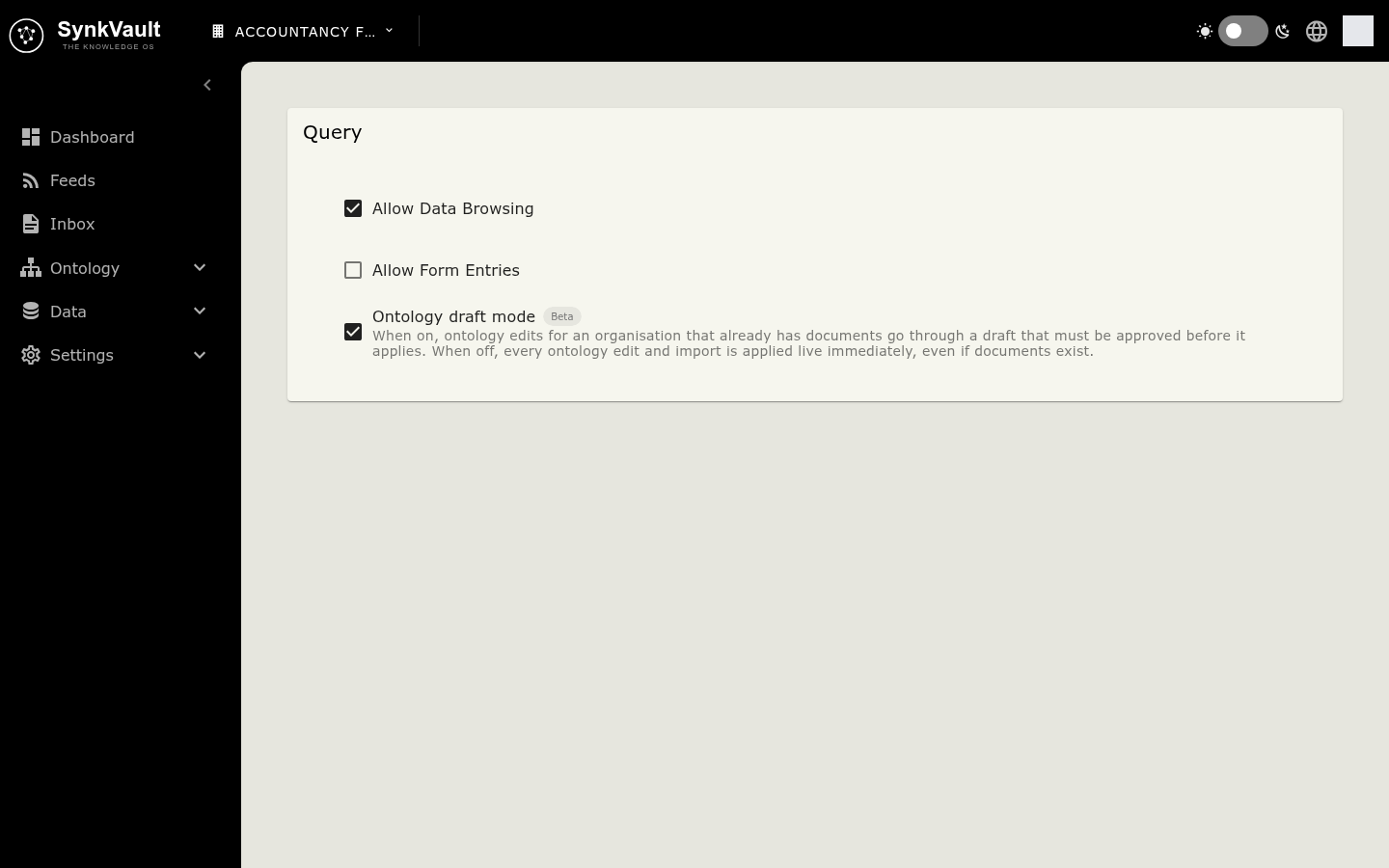
The Query page has a System Features tab with tick boxes. Each change is saved as soon as you tick or untick a box.
| Setting | What it does |
|---|---|
| Allow Data Browsing | Lets people browse your data. |
| Allow Form Entries | Lets people enter records by form. |
| Ontology draft mode (Beta) | When on, ontology edits for an organisation that already has documents go through a draft that must be approved before it applies. When off, every edit is applied immediately. |
The Ontology draft mode box is shown to Owners and Admins only. It cannot be turned off while an ontology draft is active. You see Draft mode cannot be turned off while an ontology draft is active. Discard the draft first, then try again.