
Organisation settings
Rename your organisation, copy its ID or delete it.
The Organisation page holds the basic details of your organisation.
Who can use it: Owner and Admin. Deleting the organisation is for Owners only. To open the page, choose Admin Portal in the avatar menu, then Settings → Organization.
General tab
The General tab shows General Information. It contains the Organisation ID. Select the copy button (Copy Organisation ID) to copy it. You need this ID when you call the REST API.
Details tab
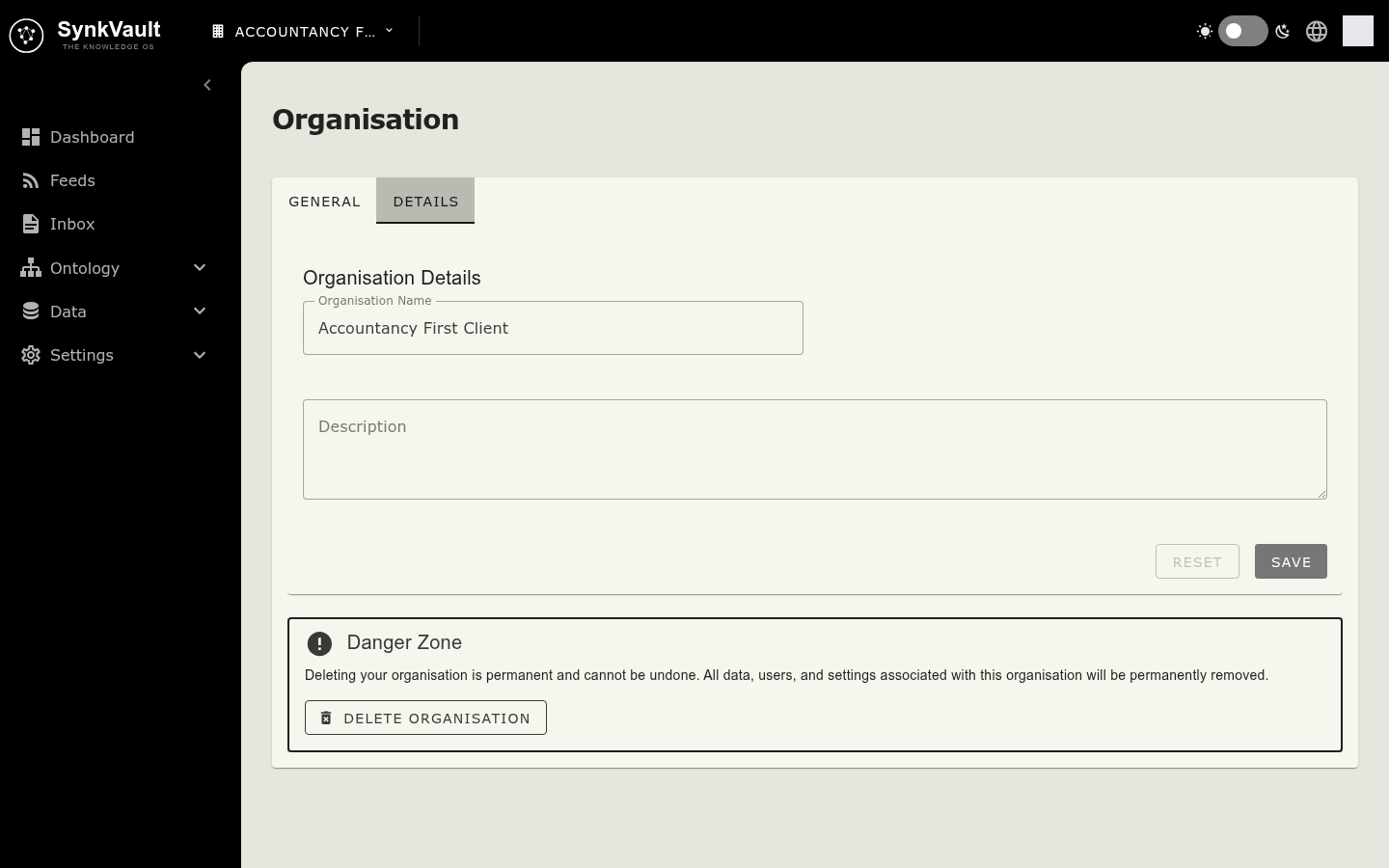
Use the Details tab to change how your organisation is named.
- Open the Details tab.
- Edit the Organisation Name or the Description. The name is required.
- Select Save. Select Reset to undo your edits before saving.
Delete the organisation
The Danger Zone on the Details tab contains Delete Organisation. Admins see the button turned off with the note Only organisation owners can delete the organisation.
Deleting an organisation is permanent. It removes all users, documents, integrations, API keys and settings. It cannot be undone.
- Make sure your subscription is cancelled. If it is still active, deletion is refused with This organisation has an active subscription. Please cancel it via the billing portal first. See Billing.
- Select Delete Organisation.
- Tick I understand this action is permanent and cannot be undone.
- Select Delete Organisation in the dialog to confirm.
After deletion you are signed out.