
My Inbox
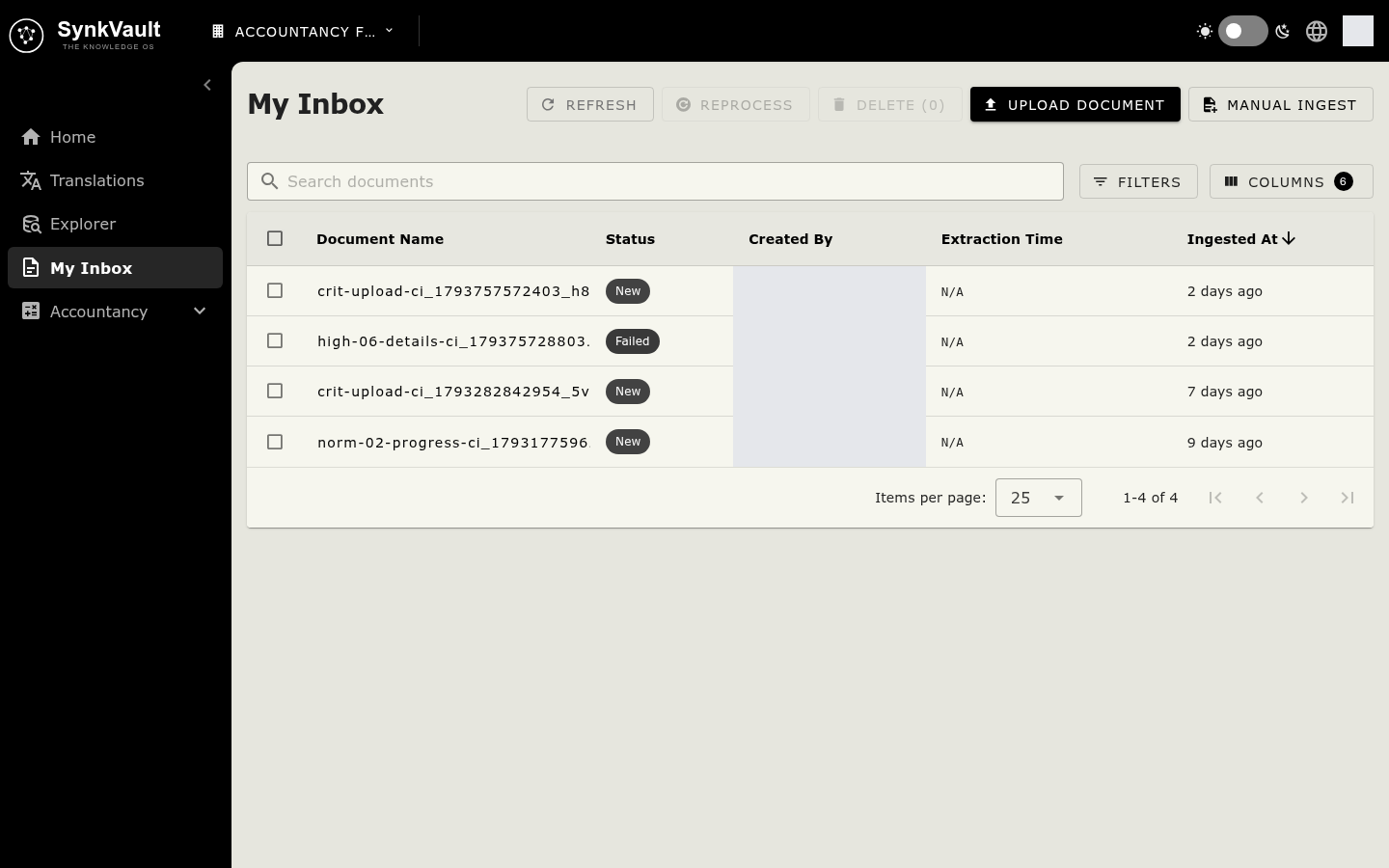
My Inbox (/my-documents) is where you add your own documents to SynkVault. All roles can use it. You see only the documents that you created.
Upload documents
Select Upload Document
It is at the top right of My Inbox.
Choose your files
Drop files in the window, or select Browse Files. You can choose several files. Supported formats are PDF, RTF, Markdown, Word (.doc, .docx), Excel (.xls, .xlsx), CSV and text. By default, each file can be up to 50 MB.
Upload
Select Upload (it shows the number of files). Wait while each file uploads, then select Done.
SynkVault checks every file. If a file already exists in your organisation, you see "This file already exists in your organisation. Nothing was uploaded." If a file is too big, or its type is not supported, SynkVault tells you.
Follow the processing
Each document has a Status.
| Status | Meaning |
|---|---|
| New | The document is waiting to be processed. |
| In Process | SynkVault is reading it. |
| Done | It was processed. |
| Failed | Processing failed. |
| Deletion Failed | The document could not be deleted. |
Select Refresh to see new statuses. Use the search box, the Status filter and the From Date and To Date filters to find documents. Select a document name to open Document Details.
Reprocess or delete
- Reprocess: select one document that has the status Done, then select Reprocess to run it again.
- Delete: select one or more documents, then select Delete. SynkVault asks you to confirm. You cannot delete documents that were successfully ingested.
Manual Ingest
Select Manual Ingest to add content without a file. A drawer opens with three tabs.
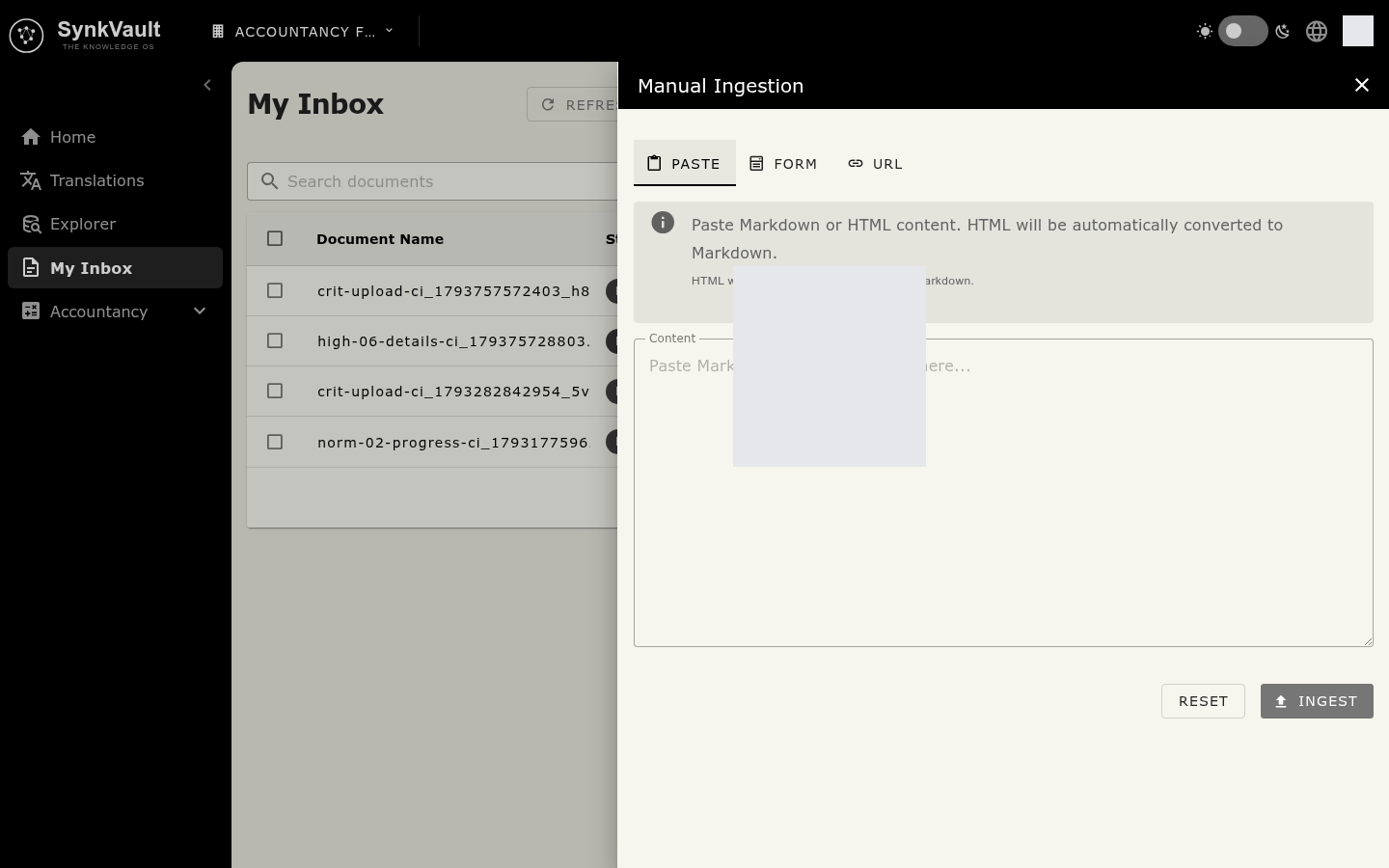
Paste
Paste Markdown or HTML into Content. HTML is converted to Markdown for you, and a Markdown Preview shows the result. Select Ingest. The content cannot be empty.
Form
Use Form to enter structured data by hand.
Select an ontology node
Choose a node in Select Ontology Node. Only nodes with Allow form entry switched on are listed.
Fill in the fields
Complete the Form Fields. Fields that link to other records let you Select from existing.
Ingest
Select Ingest.
URL
Type a Website URL, for example https://example.com/article, or select Paste from clipboard. Select Ingest. SynkVault reads the page and adds its content. The address must be valid.